

What this worksheet helps children practise
Point to one whole box for each total: six, twelve, eighteen. Each jump adds six objects, rather than one.
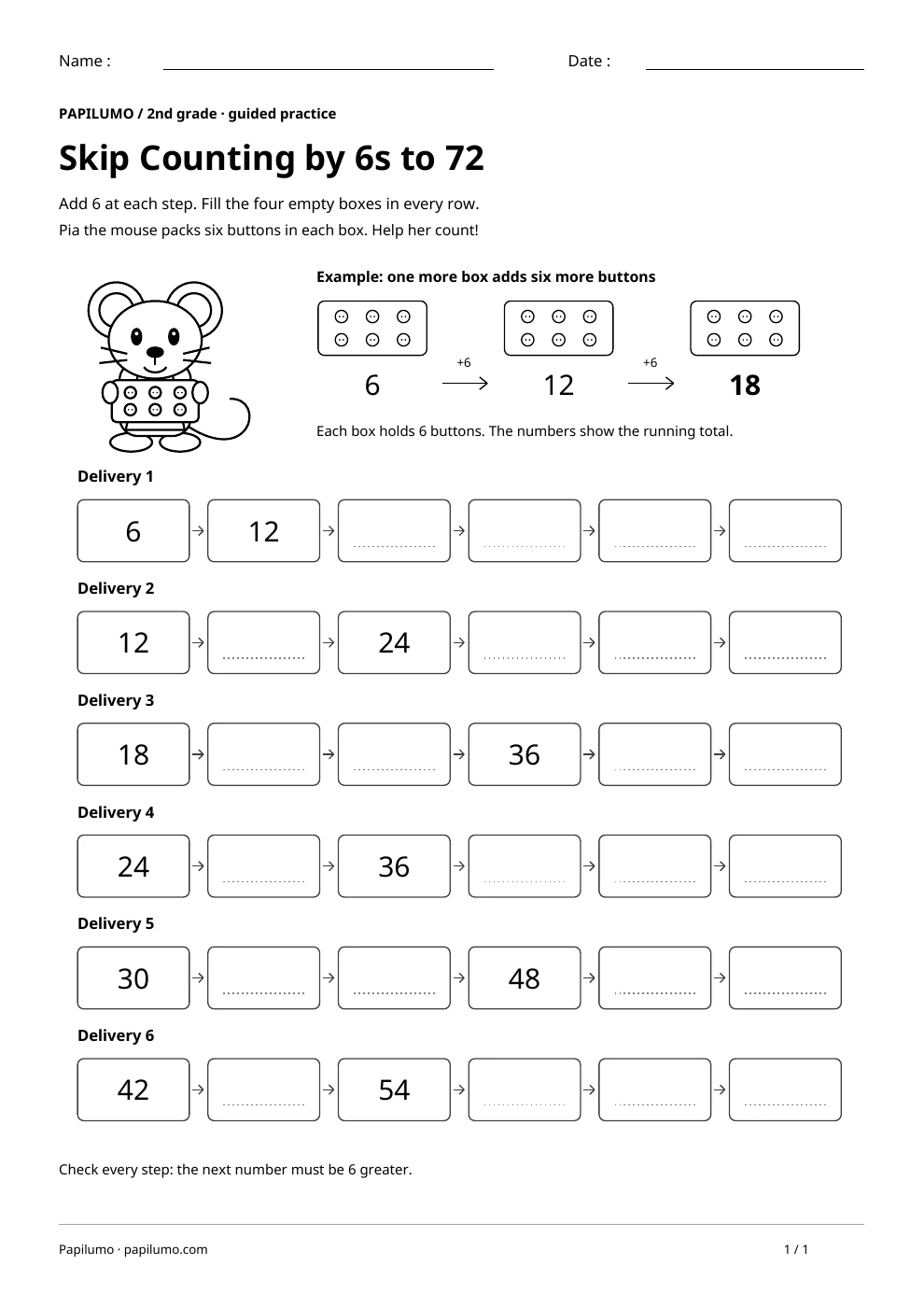
Skip counting by six means adding the same amount to each previous total. This activity connects repeated addition with visible groups of six objects, then moves to number sequences without counting every object from one. The starting numbers change, so children must continue from the printed value instead of always starting at six. Use it when children can add small quantities and read numbers through 72. It can support later work with multiplication by six without requiring memorized multiplication facts. For a related skill, use Skip counting by 3 to 30 with Riko: Count groups of three stars, then complete the number path and the sequences up to 30.
Preparing a short session
Provide a pencil and counters if needed. Examine the three boxes in the example and check that each contains two rows of three buttons. Point to a whole box as you say each running total. Introduce Pia’s task: find the missing totals for six deliveries. Start with the first row and cover the others if the full page feels distracting. Keep the answer key separate while the child works.
A concrete example to get started
The first box holds six buttons. A second box adds six more, so 6 + 6 = 12. The third box gives 12 + 6 = 18. The numbers below the boxes show how many buttons there are altogether, rather than how many boxes there are. In the first exercise, 6 and 12 are given. The four missing numbers are 18, 24, 30 and 36. Each new number is six more than the previous total.
Supporting the activity
Work from left to right in each row. Read the starting number and add six for every arrow. Some given numbers appear later in the row; use them to check the steps between clues. Write one number in every empty box, then read the complete sequence aloud. When crossing a ten, split the six if helpful: from 18, add two to reach 20 and four more to reach 24. Keep the same step for the whole delivery. To vary the practice, try Skip counting: find the rule for 2s, 5s and 10s: Circle +2, +5 or +10. Fill in the three empty cars.
What to notice and how to check
Check the difference between every pair of neighbors, including pairs around printed clues. Each difference must be six. If a child writes 18 followed by 20, model six new buttons before offering the answer. If a row restarts at six, return to its printed starting value. The separate key shows all sequences with the added answers in bold. Completing one row accurately is a useful first practice session.
Making the task easier
Use the first delivery with groups of six counters. Fill one box at a time and check by adding another group.
Keep the learning aim, but reduce how much the child has to handle at once. Cover part of the page with another sheet and reveal one task at a time. Demonstrate a separate example, then leave a real opportunity to work something out. An answer reached with support is still a useful attempt; it does not yet show that the same task can be completed independently.
Taking the idea beyond the worksheet
Choose two neighboring numbers in the last row. Explain how adding six takes you from the first to the next.
Use the follow-up to meet the same idea in a different setting. Offer it once the first task makes sense, without insisting that the whole page must be perfect. The child might explain a strategy, make an example or set a challenge for an adult. Return to the worksheet only when it helps connect the two situations. A short conversation or a practical activity can be enough to finish the session. To continue exploring, use 3 times table: count Teo’s equal groups: Look at the groups of 3 carrots, then complete the facts.
Downloading and printing the PDF
This free PDF contains one worksheet designed for A4 paper. Download the file using the button on this page and open it in your PDF reader. Choose actual size or a 100% scale, check the orientation in the print preview and turn off any browser headers or footers. The illustrations use vector lines, so their outlines stay sharp when printed. Check the margins on one copy before preparing several sheets for a group. The level shown on the page is a guide, rather than a requirement to complete the activity at a particular age.